
WHO IS IT ADDRESSED TO:

WHO IS IT ADDRESSED TO:
Installation and maintenance company for: telephone systems, plumbing, heating, electrical products, and household appliances. Service centers for IT products. All companies that want to manage and monitor internal assistance and maintenance interventions.
Are you interested in management software? Request a free demo.
FEATURES OF SOFTWARE:




Service Requests
Service requests are recorded following a phone call or through IT integration with customer systems. Opening a call is simple and guided; by entering various search terms, the operator can link it to a maintenance contract, which will determine the resolution times (SLA), validity, and types of activities planned. Once assigned, the call will be forwarded via email, push notification, SMS, or fax. When closing the service request, the active and passive amounts (fixed fee, labor, mileage, spare parts) associated with the customer are automatically calculated.

Maintenance Contracts
Contract management allows you to define the various support activities planned for each customer and determines:

Agenda Technicians
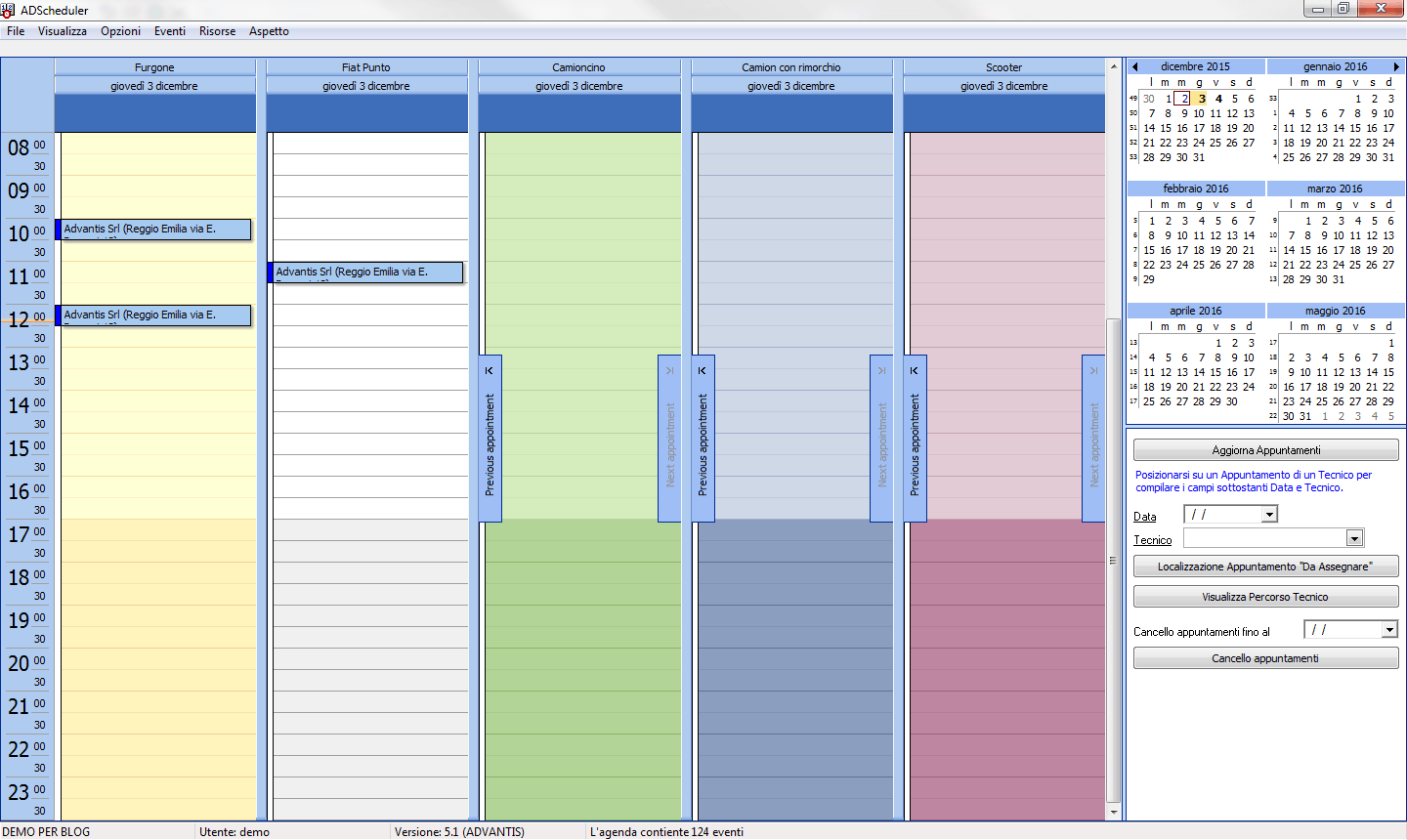
Scheduling of interventions is done through a graphical display of technicians’ schedules.
Using Google Maps, you can plan a quick and economical route.

Repairs
Entering a repair It’s simple and guided. After entering the required fields, the operator can print the acceptance form with conditions and privacy policy, which they can leave with the customer with the data entered. During the fault registration, specific warning messages will be displayed for products already registered or for particular customers. It’s possible to send cost estimates via email, which will list the work and spare parts needed. At the end of the repair, a notification via SMS or email will be sent to the customer.

Warehouse
If you use warehouse management, the spare part that is not in stock will automatically be placed on hold. Specific functions will display spare parts that need to be replenished (on hold, below reorder level, below minimum stock level). The spare part used automatically generates a stock movement and a balance update.

Accounting Cycle – Customer Documents
The accounting cycle allows you to track the entire flow of sales activity, from quotes to potential customers, through their confirmation and the creation of orders, the subsequent issuance of the delivery note with warehouse clearance, and the creation of the invoice.
Document management features the following strengths:

Accounting Cycle – Supplier Documents
Accounting cycle allows for complete management of supplier orders, goods receipt with warehouse loading, and invoice verification.
Supply orders can be entered manually or created from order proposals, functions that allow you to create orders to be confirmed by verifying item requests and minimum inventory levels.
Upon receipt of goods, the customers awaiting the material and the various storage locations are indicated.
Document management is characterized by the following strengths:

Connection to Supplier Management Systems
ADcall uses dedicated functions to interface directly with parent company management systems. The interface is simple, intuitive, and straightforward. Using the appropriate buttons you can download new interventions, communicate status changes, close interventions and order spare parts.

Cash Registers
The management software can be connected to cash registers, allowing you to print receipts directly from the application. The data printed on the receipts can be personalized height=”60″ />
Reporting
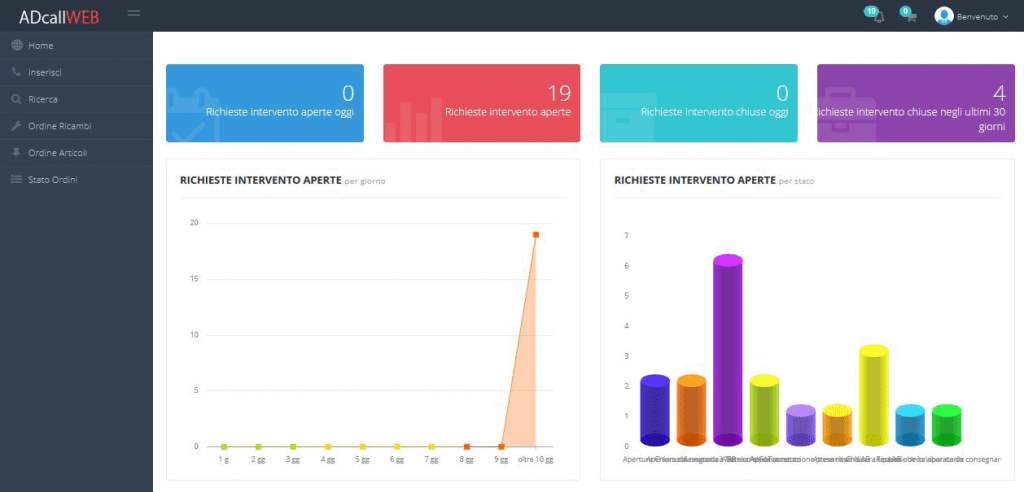
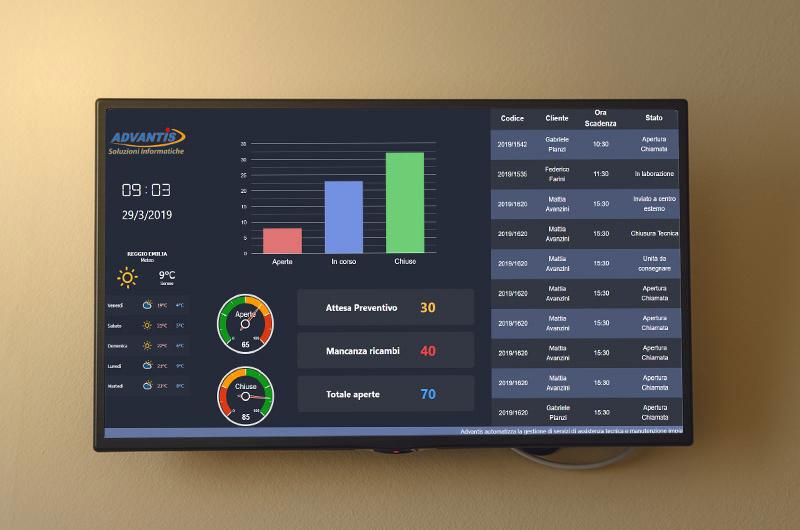
The use of “advanced” grids for archive management allows for customized searches, groupings, filters, and exports to Excel. Standard and customizable statistics are provided for monitoring activities. The information can be presented in graphical form.
Logs
All the most important activities are recorded via logs that will be displayed in dedicated windows, such as status changes, appointment rescheduling, and attempted appointments. and reminders.

Payment Schedule and Payments
Payment schedule management allows you to enter customer and supplier deadlines and payments, with the details of the invoices to which they refer. Records can be written manually or automatically from document management. Due dates are calculated using user-customizable parameters: due days, number of installments, etc. Ri.Ba to customers and bank transfers to suppliers can be sent to the bank via print or file (for electronic sending to Home Banking).

Barcode
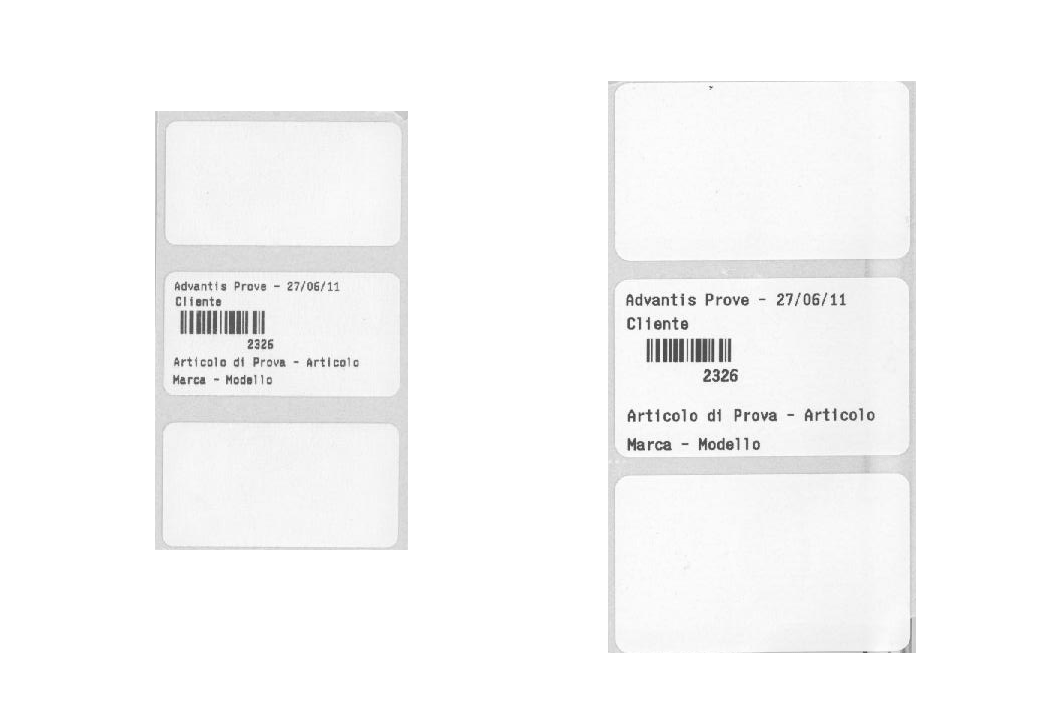
The management software offers the ability to print up to 5 types of labels, which will print the repair data and number in barcode format. The labels attached to the products being repaired and to the spare parts will allow, with the use of a simple reader, to speed up the entry of the codes into the management system.

Document Search
For each call, system, customer, or supplier, you can attach documents (Word, Excel, PDF, etc.) containing configurations, wiring diagrams, service reports, estimates, etc. These documents can be viewed via special forms within the call/system management of the various program functions.

Electronic Invoicing
Customer and foreign supplier invoices are extracted and verified using a special function that, after verification, creates XML files for the Revenue Agency. Automatic exports are foreseen with our affiliated intermediaries.
Are you interested in becoming a reseller?
The simple and functional management allows the technician
to easily consult the job details,
update the status, consult the price list, enter
work and spare parts, and close the job with
the customer’s signature, if applicable.
Option to have the customer electronically sign the job closure, displaying spare parts and work.
Recording of privacy consent and its signature.
For each post, you can attach images from the gallery or your phone’s camera.




Are you interested in sending communications via sms?










Are you interested in a rental solution for our software?


